

I wanted to see which AI tool could design the best UI.
Not just pretty screens. Design that feels like it was made by a real product designer.
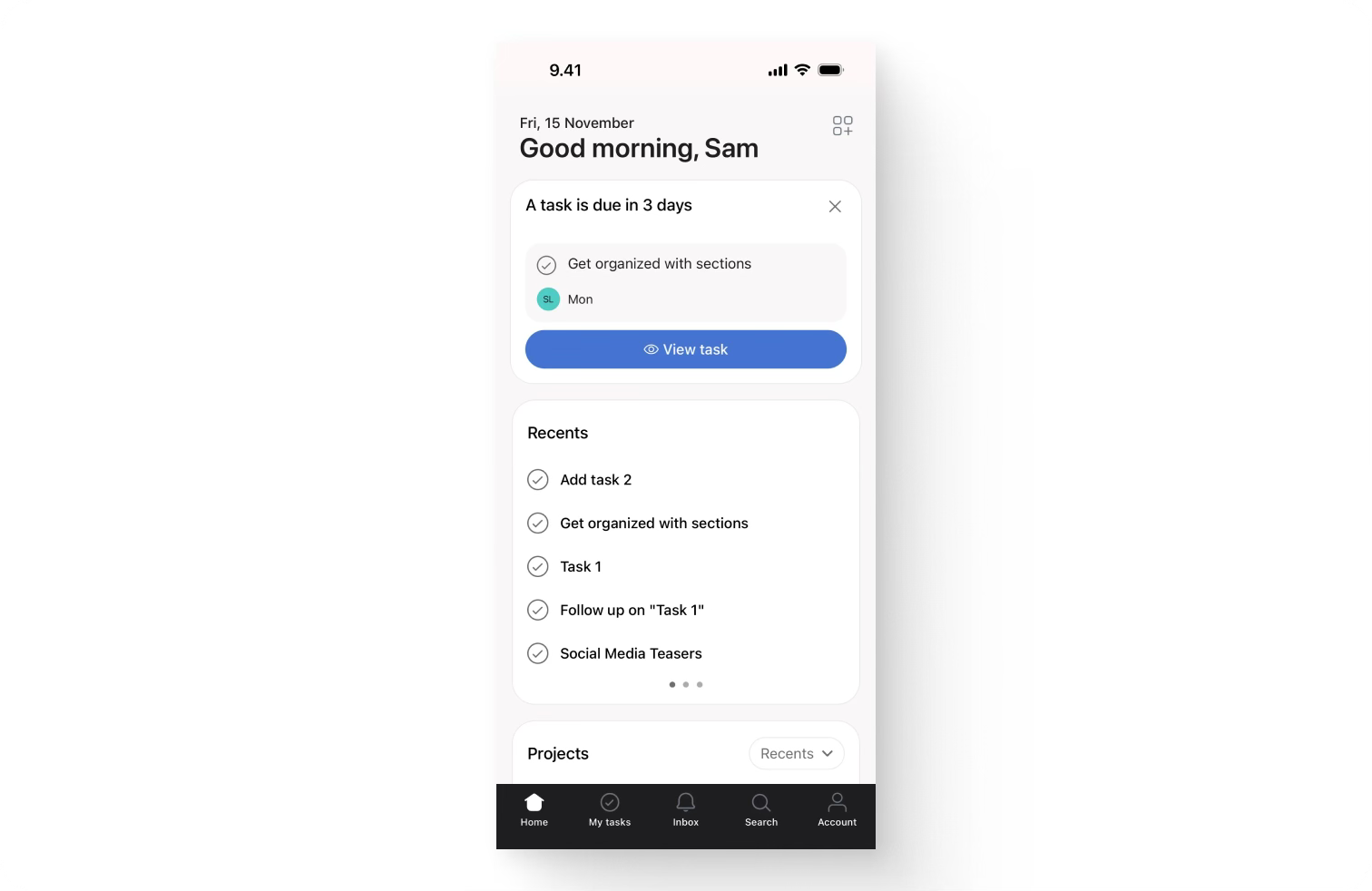
The benchmark: Asana’s mobile app.
If it looked like Asana, it passed. Simple.
Why this matters
Designers are expensive.
A senior product designer can cost $8–15K/month.
AI tools? $20–200/month.
So naturally, everyone’s asking:
“Can AI replace product designers?”
Fair question. So I ran the test.
The setup
I tested three tools:
Loveable (Gemini 2.5 Flash)
Figma Make (Claude Sonnet)
V0 (v0-1.0-md)
Each got the same prompt:
Design a modern iOS-style mobile task management dashboard with clean, minimalist aesthetics. Use white background, light gray cards, black text, and blue accents for primary actions.

Layout Structure:

1. Status Bar & Header
iOS-style status bar with time, connectivity, and battery icons
Date display: “Fri, 15 November”
Personalized greeting: “Good morning, Sam”

2. Upcoming Task Card
Label: “A task is due in 3 days”
Rounded card containing: Task name: “Get organized with sections”
Due date badge: “Mon” with circular avatar icon showing “SL”
Blue button: “View task” with eye icon

3. Recents Section
Heading: “Recents”
Vertical list of completed tasks with checkmarks:
Add task 2
Get organized with sections
Task 1
Follow up on “Task 1”
Social Media Teasers

4. Projects Section
Heading: “Projects” with dropdown showing “Recents”

5. Bottom Navigation
Five tabs: Home (highlighted), My tasks, Inbox, Search, Account
Icons above labels

Design Direction:
Rounded corners on all cards and buttons
Soft shadows on cards
Minimalist, flat design
Modern sans-serif typography
Consistent spacing throughout
Clean visual hierarchy
The results
Content:
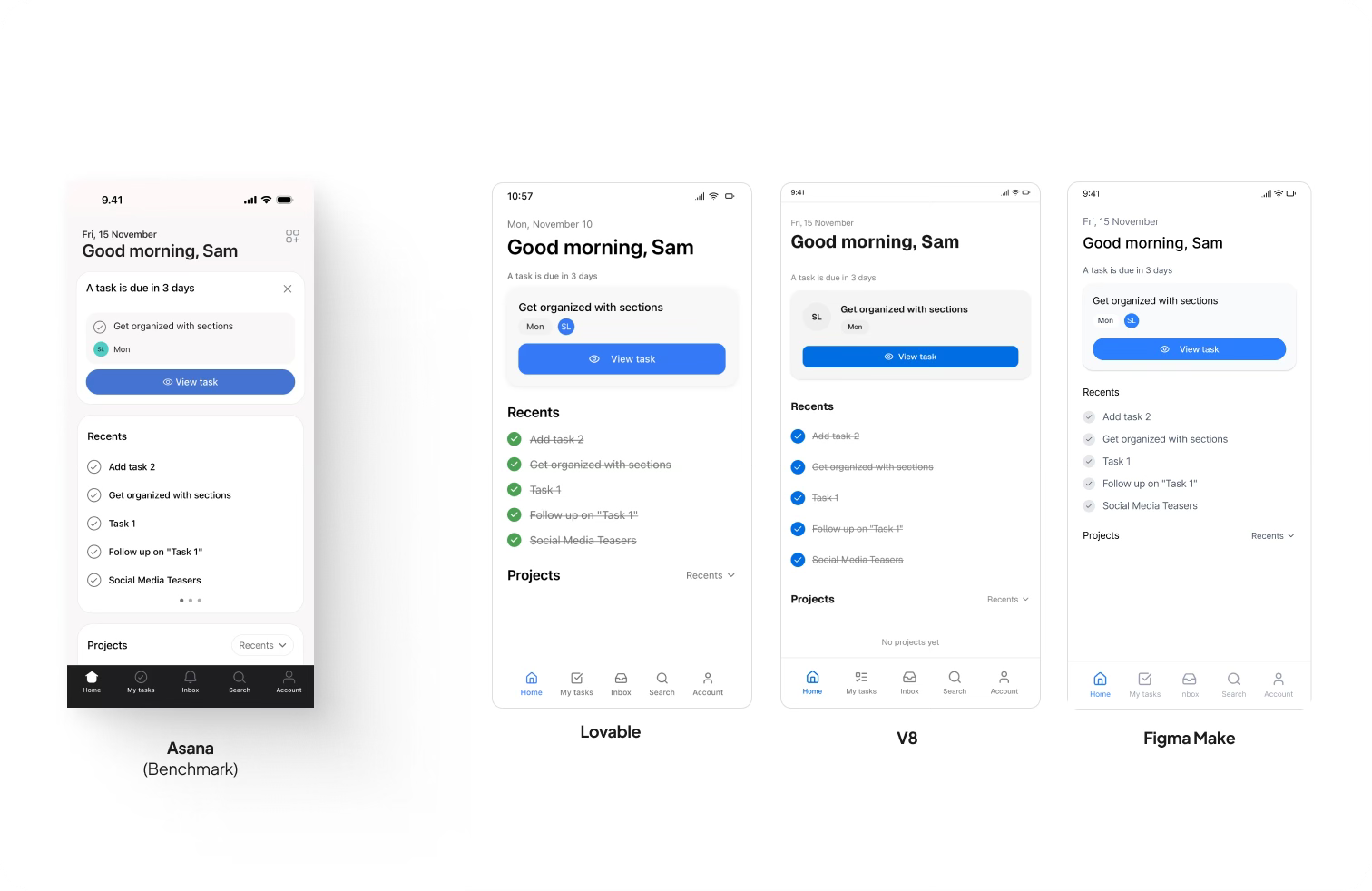
All three nailed the structure.
Status bar, greeting, task card, recents, projects, navigation. All there.
Style:
Here’s where it got interesting.
I wanted to see if these tools could improvise.
Not just follow instructions.
Because “modern” and “iOS-style” are vague. They leave room for creativity.
The style requirements were simple:
Modern iOS-style mobile layout
Light gray cards
Black text
Blue accents for primary actions
All three handled the details well.
Things like black text and color balance, nailed.
But when it came to modern feel and iOS polish?
That’s where they stumbled.
You could see the difference right away.
None of them really captured that Apple-level spacing. Those smooth shadows. The finesse in motion.
It felt close, just not quite there.
The verdict
Still, the UIs looked solid.
The main differences showed up in two places:
Upcoming task card
Vertical list of completed tasks
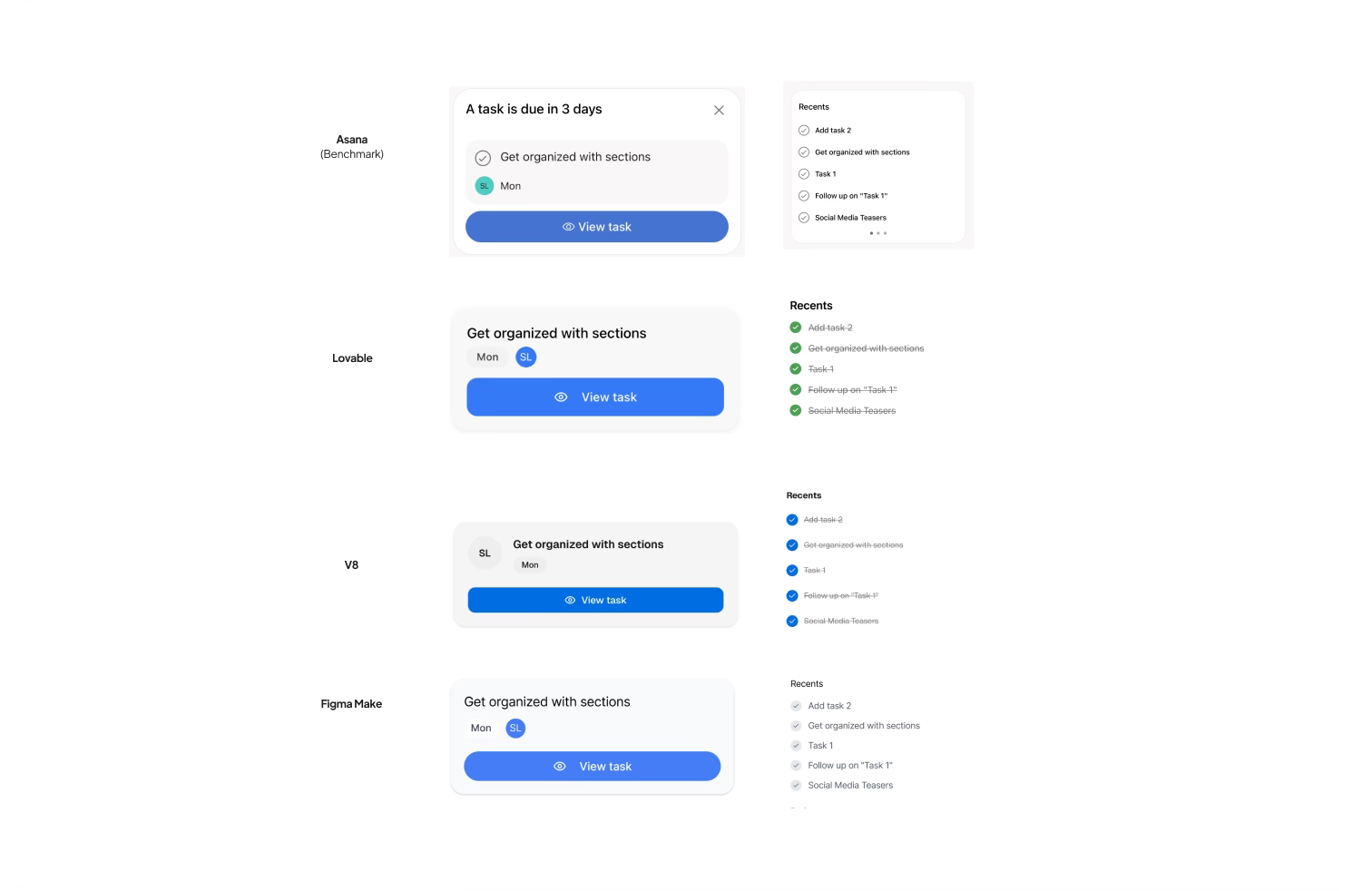
In Asana’s real app, the upcoming task has a small bullet on the left. A subtle cue that adds balance. All three AI tools missed that.
The order of elements also varied slightly between them.
Some had the button first, others the text.
Tiny things, but that’s design. The tiny things are the difference.
And in the Recents list, the color of completed tasks really stood out.
Loveable: used a green tone for completed tasks, better icons, and spacing that just felt right.
V0: nearly identical, but less refined.
Figma Make: clean, but off on font weights.
Let’s be honest. Figma Make lost by milliseconds.
Most people wouldn’t even notice the font weight difference.
But when you’re testing against Asana, those milliseconds count.
🏆 Winner: Loveable.
It wasn’t just prettier. It understood design choices better.
The icons made sense, the hierarchy felt natural, and the screen looked ready for production.
The $10,000 question
Can AI replace product designers?
Yes... but only if the person prompting has design sense.
You still need to know what “good” looks like.
That green means success.
That spacing changes readability.
That hierarchy drives flow.
My recommendation
Don’t choose between AI and designers.
Use both.
Designer: defines goals and intent
AI: generates options fast
Designer: refines and makes it great
That’s how you build better products faster.
👉 Subscribe to Practical by AI
Get one practical post every week. Learn how to build better products in the age of AI.